“It’s aboard somewhere” is not an inventory system.
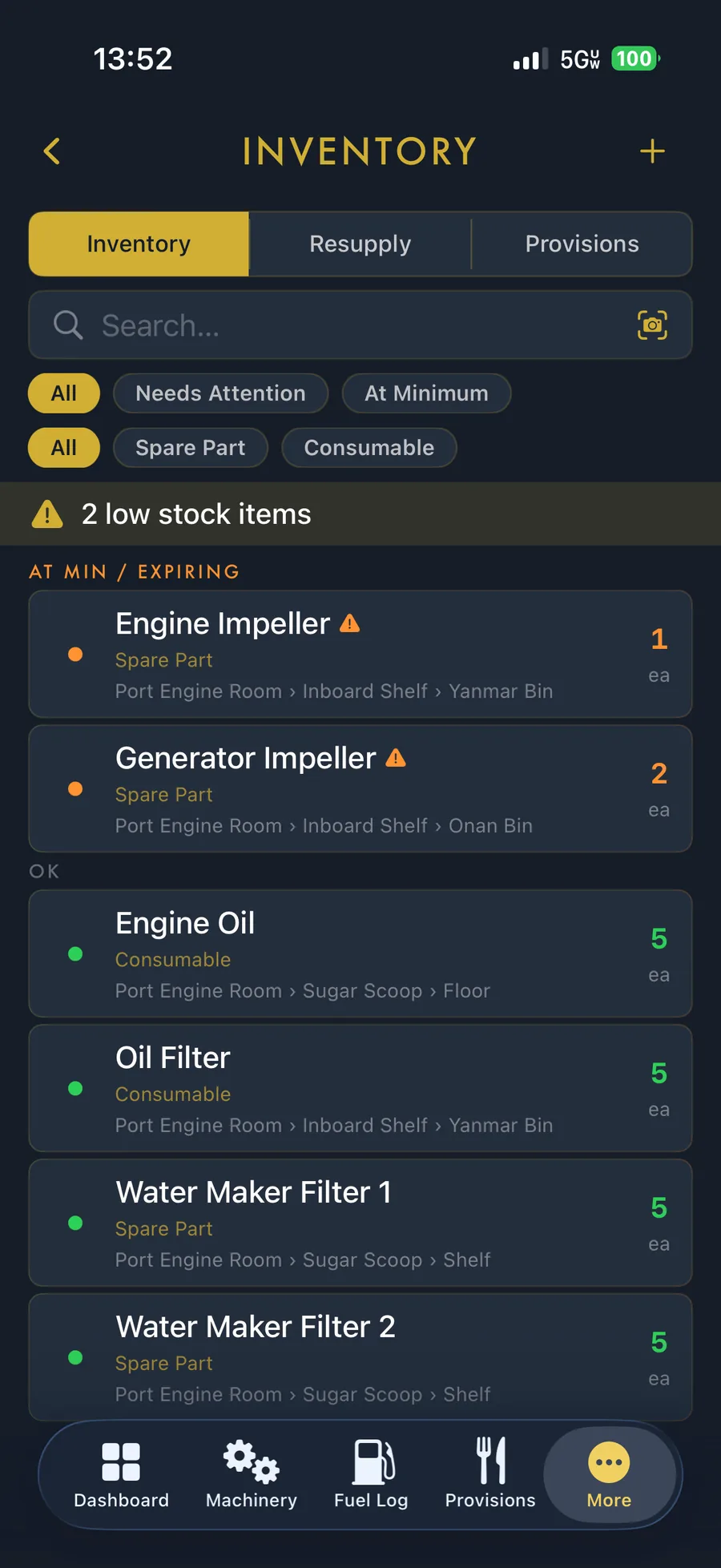
Track the spare, its quantity and the exact zone, location and container where you stowed it—then keep galley provisions in a purpose-built list of their own.
Organize for the shape of a boat
A flat location field breaks down quickly aboard. BoatWorks Pro models a hierarchy from zone to location to container: for example, aft cabin → starboard locker → blue electrical bin.
- Quantity and minimum-stock levels.
- Low-stock visibility before departure.
- Zones, lockers, shelves, bins and containers.
- Photos, notes and part details.
Parts and provisions are different jobs
A spare impeller may stay aboard for years. Milk, drinking water and galley staples turn over constantly and may expire. BoatWorks Pro separates inventory from provisions while preserving the same question: what do we have and where is it?
Scan instead of typing everything
Barcode-assisted entry can look up common products and reduce repetitive typing. Anchor includes a small lifetime sample, Cruiser provides a practical daily allowance, and Commodore removes the scanning limit.
Draw down what you use
Keeping an accurate count should take less effort than replacing the part. Quantity adjustments and low-stock signals help turn consumption into a resupply list before the next passage.
Inventory becomes more valuable with maintenance
The real advantage of a vessel-wide system appears when the service task, the equipment and the replacement part share the same context. You can see the work, know whether the spare exists and locate it without leaving the boat record.